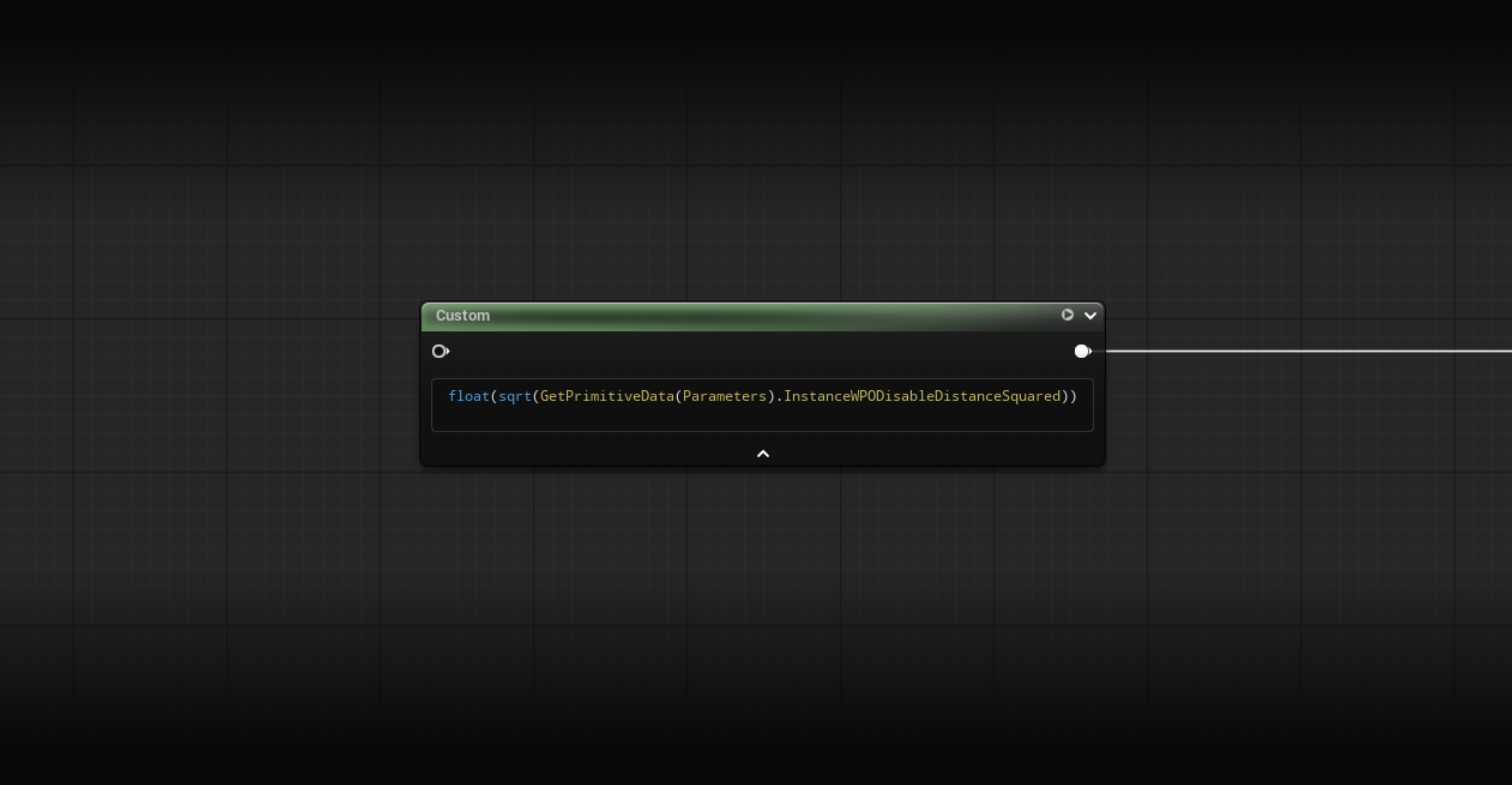
In a Nanite workflow, it’s common practice to disable WPO on meshes using a WPO material beyond a certain distance to save performance. The actor parameter World Position Offset Disable Distance does exactly that. The issue is that the cutoff is instant, and depending on the WPO animation on the mesh, the transition can be very noticeable. Here’s a simple solution to fix this.
The Problem
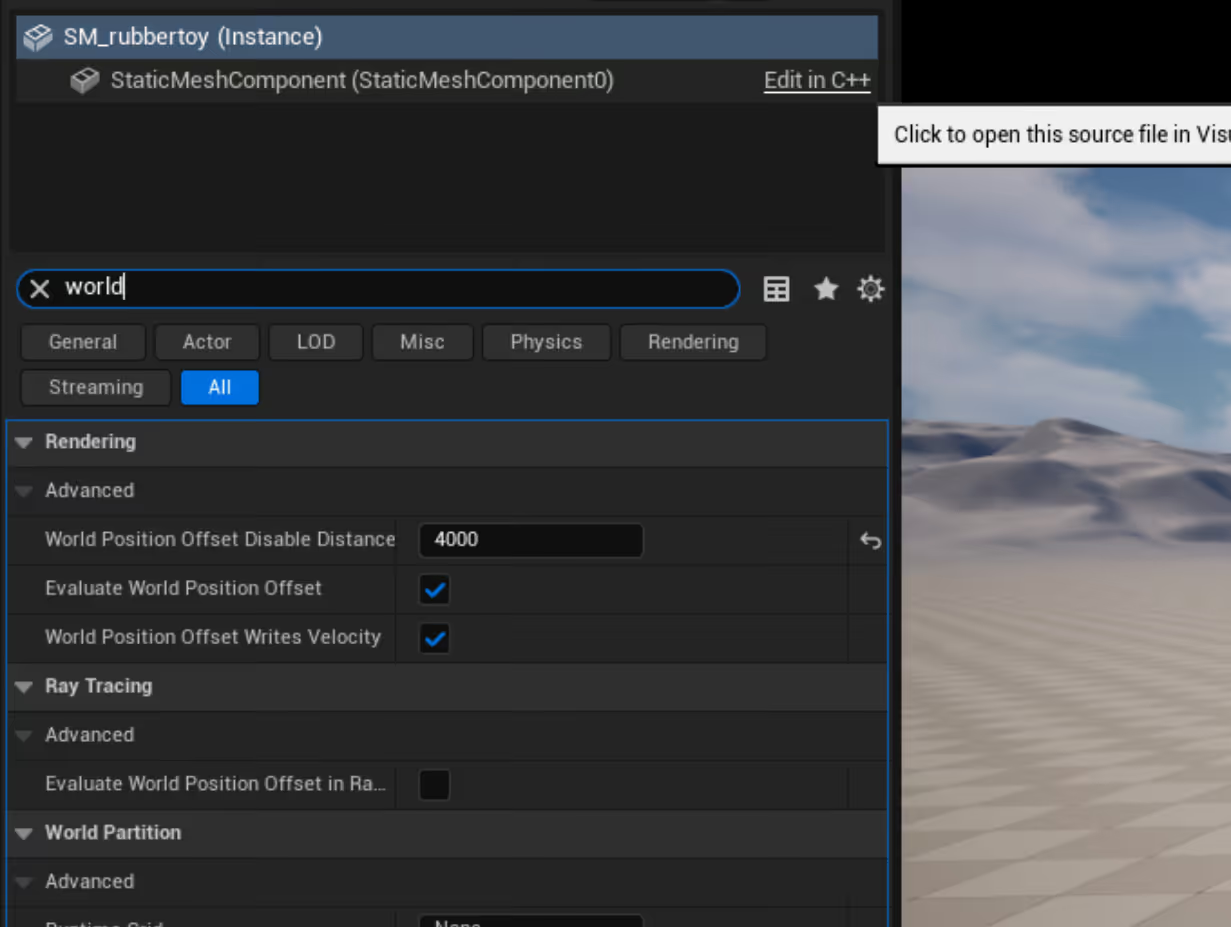
With Nanite, WPO has a real cost. Every Nanite mesh using WPO forces the engine through a more expensive evaluation path, so you want to limit how many Nanite meshes run WPO at the same time. That’s exactly what World Position Offset Disable Distance is for: set it to any value above 0 in the Detail Panel of a Static Mesh Actor, here I’ve set it to 4000 for example. The engine then disables WPO beyond that distance, great! The problem is that the cutoff is brutal. No transition, no blend. On meshes with significant deformations, the pop is obvious.
The classic workaround is to create a Scalar Parameter to replicate that distance in the material and compute a fade manually. It works, but it forces you to keep two values in sync: the one on the component and the one in the material. If someone changes one without the other, the fade is off. You could also store it in a custom primitive data, but that requires also to make sure all the values are the same. That’s not particularly straightforward, especially with many meshes in a level.
The Solution : GetPrimitiveData(Parameters)
The engine already uploads this value to the GPU in the primitive data buffer. It’s accessible in HLSL through a single Custom Node:
return sqrt(GetPrimitiveData(Parameters).InstanceWPODisableDistanceSquared);This is the native value, set on the component, stored squared for performance reasons: the engine compares squared distances to avoid sqrt calls. A simple sqrt() gives you the distance in Unreal units.
Zero maintenance: the value automatically follows whatever is set on the component. No MPC, no scalar parameter to keep in sync.
The Full Material
Interactive graph. Navigate, select nodes and copy them directly with the button bellow. Material made in UE 5.6.
Going Further
InstanceWPODisableDistanceSquared is just one field among dozens. The FPrimitiveSceneData struct exposes everything the engine knows about your mesh: transforms, bounds, scale, orientation, draw distances, flags, custom primitive data…
To see the full list, open the engine source file directly:
Engine/Shaders/Private/SceneData.ushThe FPrimitiveSceneData struct starts around line 90. Everything in it is readable from a Custom Node via GetPrimitiveData(Parameters).FieldName.